A common setup is Claude Code for planning and Codex for automation. The moment one of them gets a better MCP server list, cleaner instruction file, or a new skill, you now have two places to maintain. Claude Code and Codex do not store everything in the same shape, so the naive answer is usually to copy files by hand and hope nothing important gets overwritten.
What usually needs to stay aligned
CLAUDE.mdandAGENTS.mdlevel behavior instructions- MCP server definitions in native config files
- skills or reusable prompt bundles in each tool's own directory
Codex and Claude Code native config files can contain more than the MCP section. If you replace the whole file just to keep MCP servers aligned, you risk clobbering auth, history, or unrelated local settings.
A better way to sync skills and MCP
The safer pattern is to keep one local canonical store, then project the shared config back into each tool's native layout. That means one baseline for rules, one MCP server source of truth, one skill bundle store, and backups before every native write.
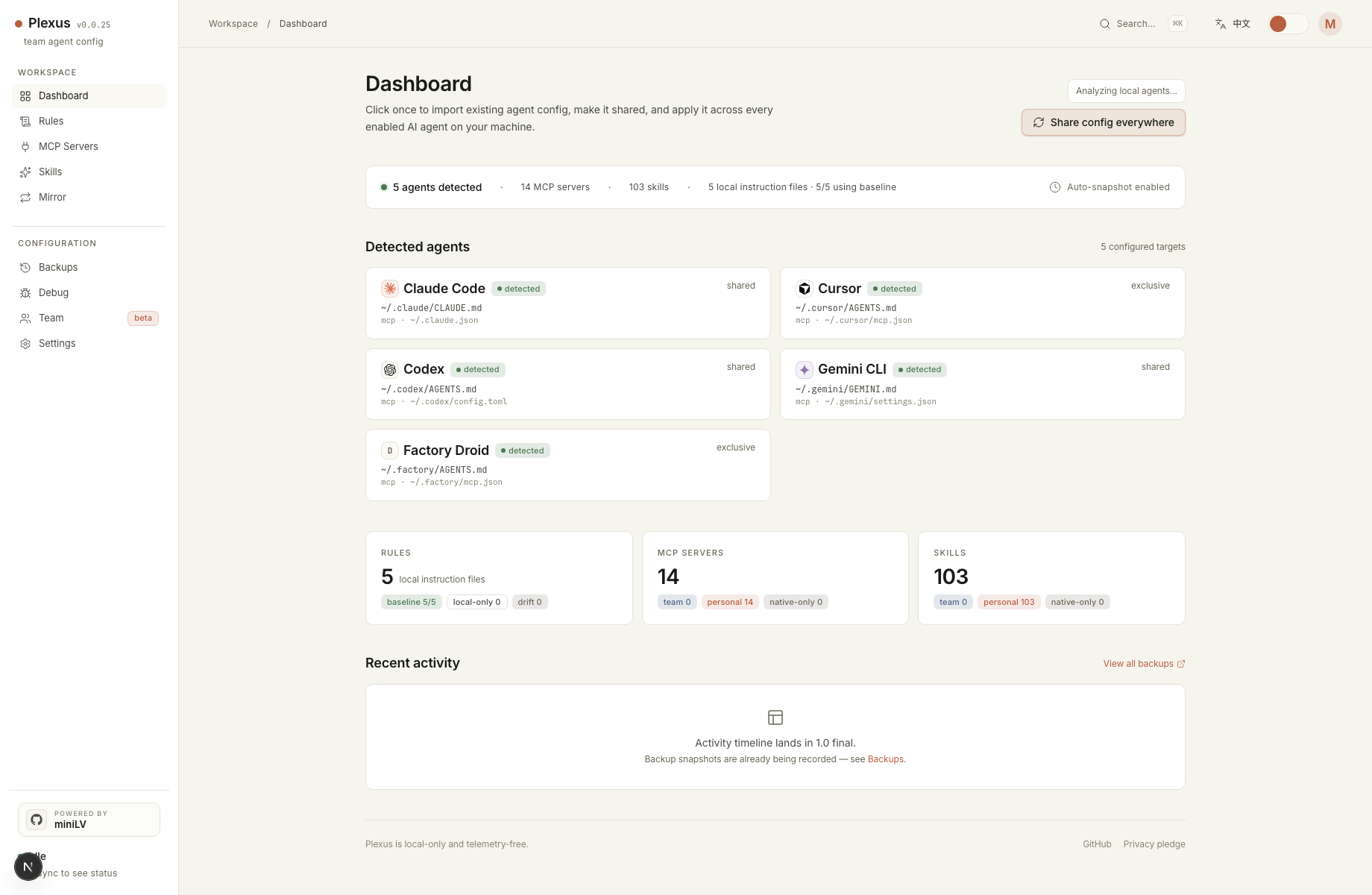
Plexus follows that model. It imports existing Claude Code and Codex config from your
machine, stores the canonical copy under ~/.config/plexus/, then writes the
result back to each tool in its own expected format. Shared files use partial writes so
unrelated data stays intact. Skills are linked or copied from one shared source instead
of duplicated by hand.
What this solves in practice
- You can add or remove an MCP server once and sync it to both tools.
- You can keep instructions aligned without maintaining parallel markdown files.
- You can share the same skills across Claude Code and Codex from one local bundle.
- You can restore native files from backups if you do not like the result.
Quick start
npx -y plexus-agent-config@latest startOpen the local dashboard, let Plexus detect Claude Code and Codex, choose the primary source when there is a conflict, preview the changes, then sync rules, MCP servers, and skills back into the native files.